¶ About the May First video conferencing platform
¶ Jitsi Meet
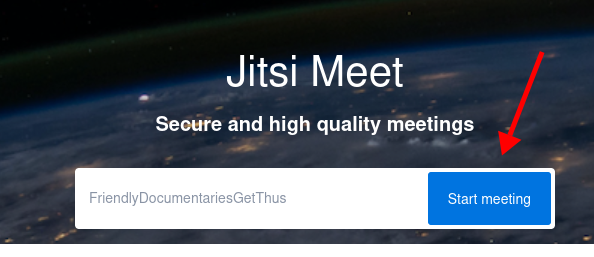
May First hosts our own instance of Jitsi Meet video conferencing software available to members at https://meet.mayfirst.org.
Jitsi Meet is a free and open-source video conferencing software that allows users to hold secure, real-time video and audio meetings over the internet. Jisti can be used for online meetings and webinars, remote education and tutoring, technical support and more.
See our practical guide to getting started with Jitsi Meet or continue reading below to learn more about Jitsi Meet.
¶ How Jitsi Meet works
Jitsi Meet runs in your web browser or mobile app. Your device captures and compresses your audio and video and uploads it to the Jitsi server. The server coordinates the meeting by forwarding audio and video streams between participants.
¶ Participant roles
Most people in a Jitsi meeting are participants, who can use their microphone and camera and interact with others. Moderators create the Jitsi room and can participate just like everyone else but also have access to controls for managing the meeting and its participants and can add additional moderators. On May First's Jitsi service, interpreters have a special role that allows them to provide simultaneous language interpretation, which participants can choose to listen to during the meeting.
https://help.mayfirst.org/en/guide/how-to-participate-in-jitsi-meeting
https://help.mayfirst.org/e/en/guide/how-to-moderate-jitsi-meeting
https://help.mayfirst.org/en/guide/how-to-provide-interpretation-in-jitsi-meeting
¶ Useful Features of Jitsi Meet
Web-Based and Mobile Apps: Jitsi works directly in modern browsers (no download required) and is available as a mobile app for Android and iOS.
Moderator Controls: Options for muting participants, setting passwords, and managing permissions.
Live interpretation May First hosts a special version of the Jitsi interface with additional tools for language intereptreters and participants at https://i.meet.mayfirst.org See more info about using our interpretation features. (Only in web browser)
Screen Sharing & Recording: Users can share their screen and record meetings. (Only in Chrome)
Chat and Reactions: Built-in chat and emoji reactions allow for more participation.
End-to-End Encryption (E2EE): Jitsi supports E2EE (currently in beta), which enhances privacy for peer-to-peer meetings. (Only in Chrome)
¶ Jitsi Performance
Your device does much of the work: it must simultaneously compress and upload your media while downloading and decoding media from other participants. For this reason, the performance of a meeting depends not only on the Jitsi service, but also on the computing power and Internet connection of each participant.
¶ Tips for optimizing performance
If a meeting is slow, choppy, or using too much CPU or bandwidth, reducing the amount of video being sent and received can help.
- Turn off your camera when you don't need it. This reduces both processing and upload bandwidth.
- Display fewer participants at once. Receiving and displaying many video streams requires more bandwidth and processing power. By default https://meet.mayfirst.org will only ask your browser to display video for the last 8 participants who have used their microphone.
- Reduce video quality. Lower-resolution video requires less bandwidth and processing.
- Use a stable Internet connection. A wired connection is preferable when available; otherwise, use a strong Wi-Fi connection.
- Close unnecessary applications and browser tabs. This leaves more computing resources available for processing the meeting.
- Use a sufficiently powerful device. Older or less powerful computers and phones may struggle with meetings involving many simultaneous video streams.
For larger meetings, keeping cameras off when they are not needed can make a significant difference, particularly for participants using slower devices or Internet connections.
¶ Jitsi Meet Security
Jitsi Meet offers a solid foundation of security features. Click to learn more about any of the following:
¶ Transport-Level Encryption (TLS + SRTP)
All communications in Jitsi Meet are encrypted in transit to protect against network-level eavesdropping:
- HTTPS/TLS: Signaling traffic (control messages, chat, metadata) is encrypted with standard HTTPS.
- DTLS-SRTP: Media (video, audio) streams are encrypted using Secure Real-Time Transport Protocol over DTLS.
¶ Room Access Control
Use these options to help prevent unauthorized access or "Zoom bombing" in public meetings:
- Room Passwords – Set by moderators during a call.
- Lobby Mode – Users must ask to join, and moderators approve.
¶ Self-Hosted
Jitsi is self-hosted by May First allowing us to protect security and sensitive metadata:
- Server logs and metadata (we delete server logs and metadata after a limited amount of time)
- Authentication and authorization (Moderator accounts must be activated through the May First control panel.)
¶ No Permanent Storage by Default
Unless you directly choose to save data locally, meetings are ephemeral.
- Jitsi Meet does not store recordings or chats on May First servers.
- Temporary data like chat messages or user info disappears when the room closes.
¶ Open Source
This is a major advantage over proprietary platforms, as it allows for independent verification.
- Jitsi Meet, Jitsi Videobridge, Jicofo, and other components are open source.
- Anyone can audit the code for backdoors, vulnerabilities, or poor cryptography.
¶ End-to-End Encryption (E2EE) (Optional / Beta)
Jitsi Meet includes experimental E2EE support. When enabled, video and audio are encrypted on the client before transmission and decrypted only by recipients.
How it works:
- Uses Insertable Streams (a WebRTC feature) to let browsers manipulate raw media before encryption.
- Participants exchange keys via WebRTC DataChannel, without server involvement.
Limitations:
- Only works in peer-to-peer or low-participant meetings for now.
- Requires modern Chromium-based browsers (Chrome 90+).
- Disables some features like server-side recording and simulcast.
¶ Browser Compatibilty
Jisti Meet's basic functionailty should work on newer versions of Firefox and Safari however many of Jitsi's advanced features will only work in newer versions of the Chrome browser.
Why does Jitsi work better with Chrome?
Jitsi Meet is built on WebRTC, the open standard for real-time audio/video communication in browsers. While WebRTC is an open source project it is primarily sponsored by Google who develop Chrome. The Jitsi team targets Chrome first for performance testing and optimization because Chrome often gets new WebRTC features before Firefox or Safari
(Alternative browsers based on the Chrome browser engine like Chromium, Brave, Edge, etc.. might also be good options.)
¶ Interpretation compatibility
May First's offers special interpretation features for Jitsi when accessing https://i.meet.mayfirst.org through a web browser but these will not appear in the mobile app version of Jitsi for Android or IOS.